Industry
B2B SaaS
Client
Tyk Technologies
Tyk UI Library Refresh
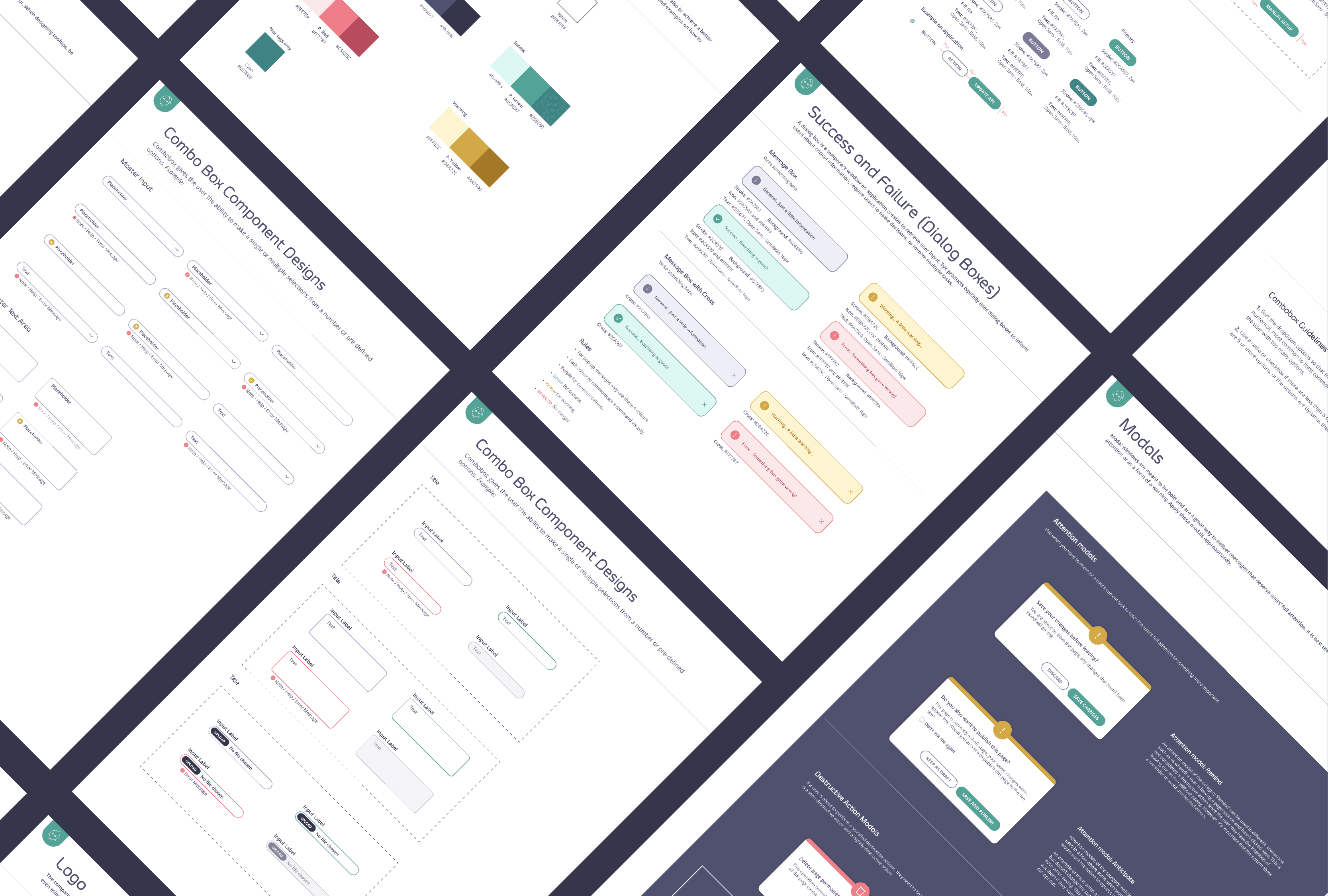
Making the new Tyk brand work better in the product
When Tyk went through a rebrand in 2019, we had a new visual direction to work with, but not everything translated neatly into the product.
By 2020, we started noticing that some of the colours we were using did not have enough contrast, especially in the UI.
There were also quite a few questions around how certain colours and components should actually be used.
So I worked on refreshing the UI library and putting some clearer rules around it.
The problem with the colours
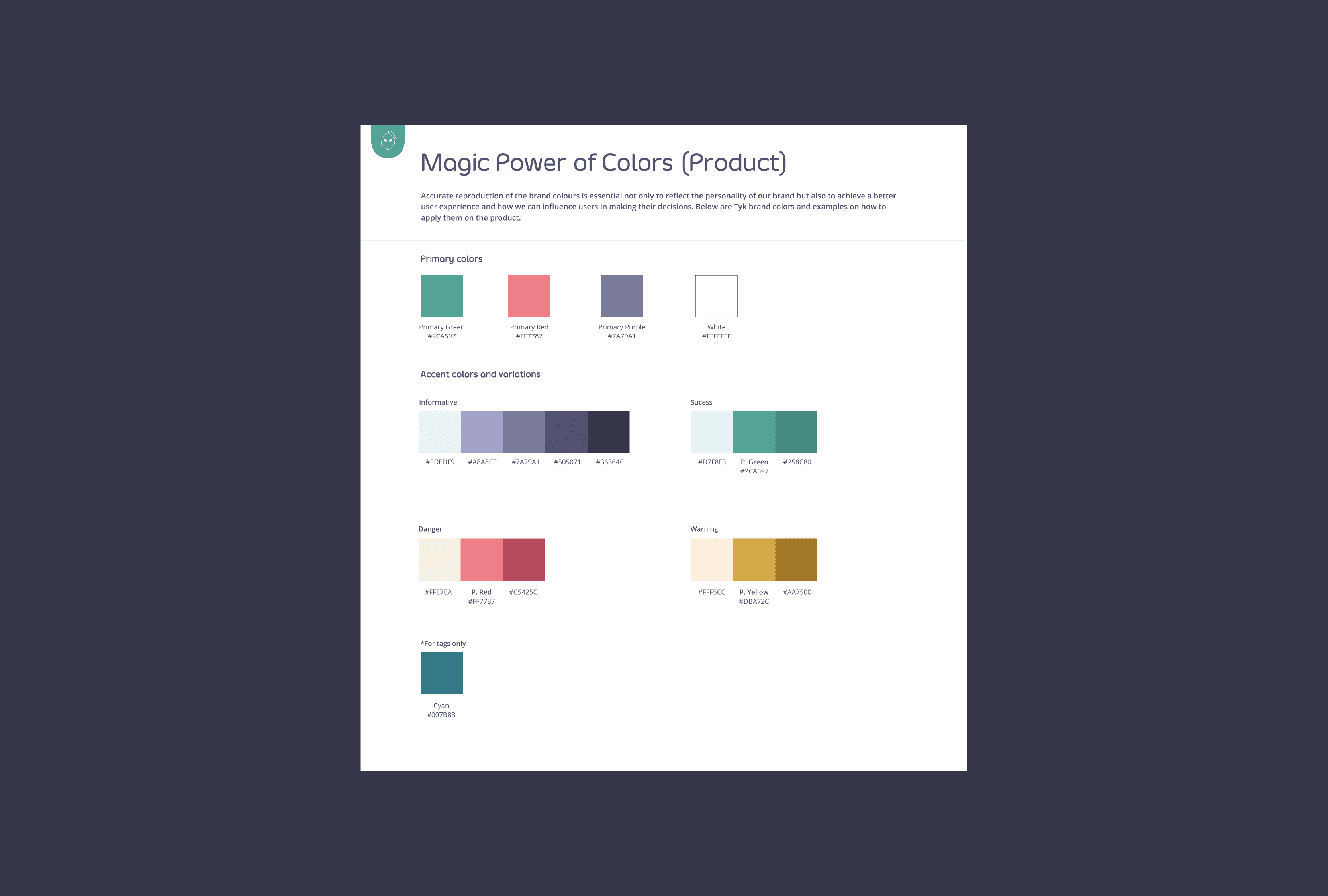
The new brand had a strong colour palette, but some of the colours that worked well for branding and illustrations did not work as well in an interface.
This became especially noticeable when we checked the colours against accessibility guidelines.
I used WebAIM's contrast checker to review the palette and worked on more accessible combinations for the product.
It was not about getting rid of the brand colours completely.
For example, red was still an important part of Tyk's visual identity. We just decided that it made more sense to keep it for things like danger and error states in the UI, rather than using it everywhere.
That gave us a clearer distinction between the brand and the product interface.
Putting some rules in place
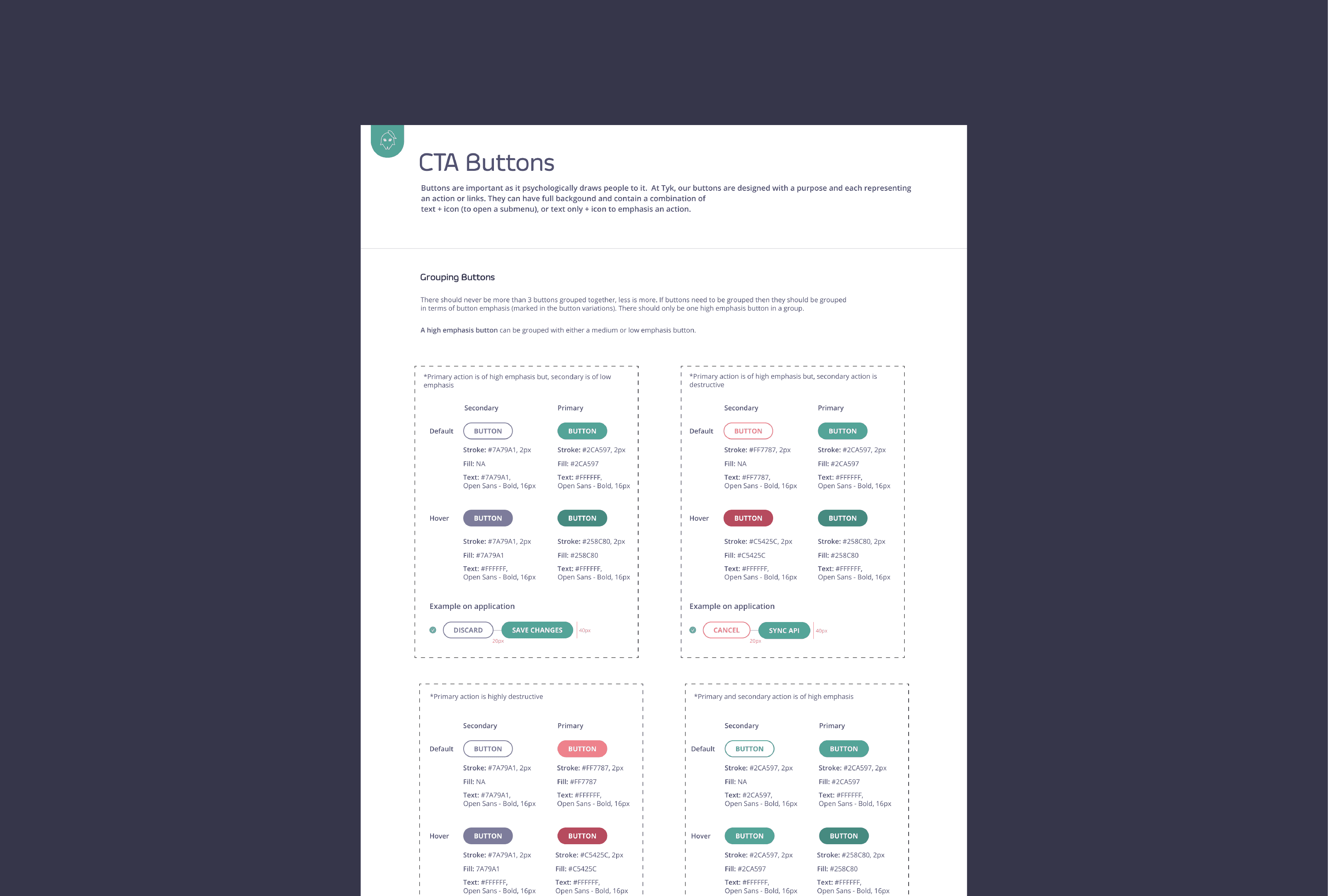
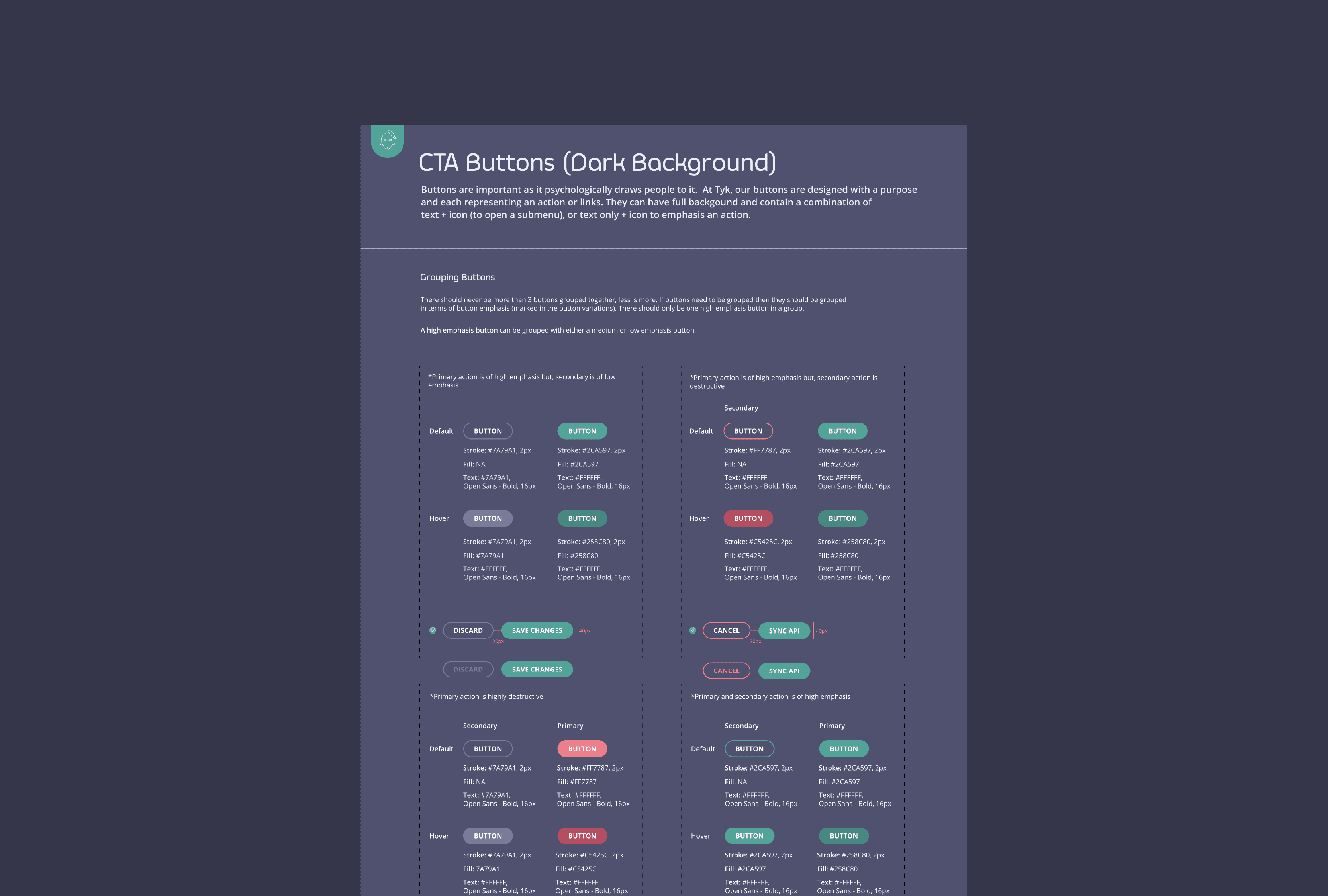
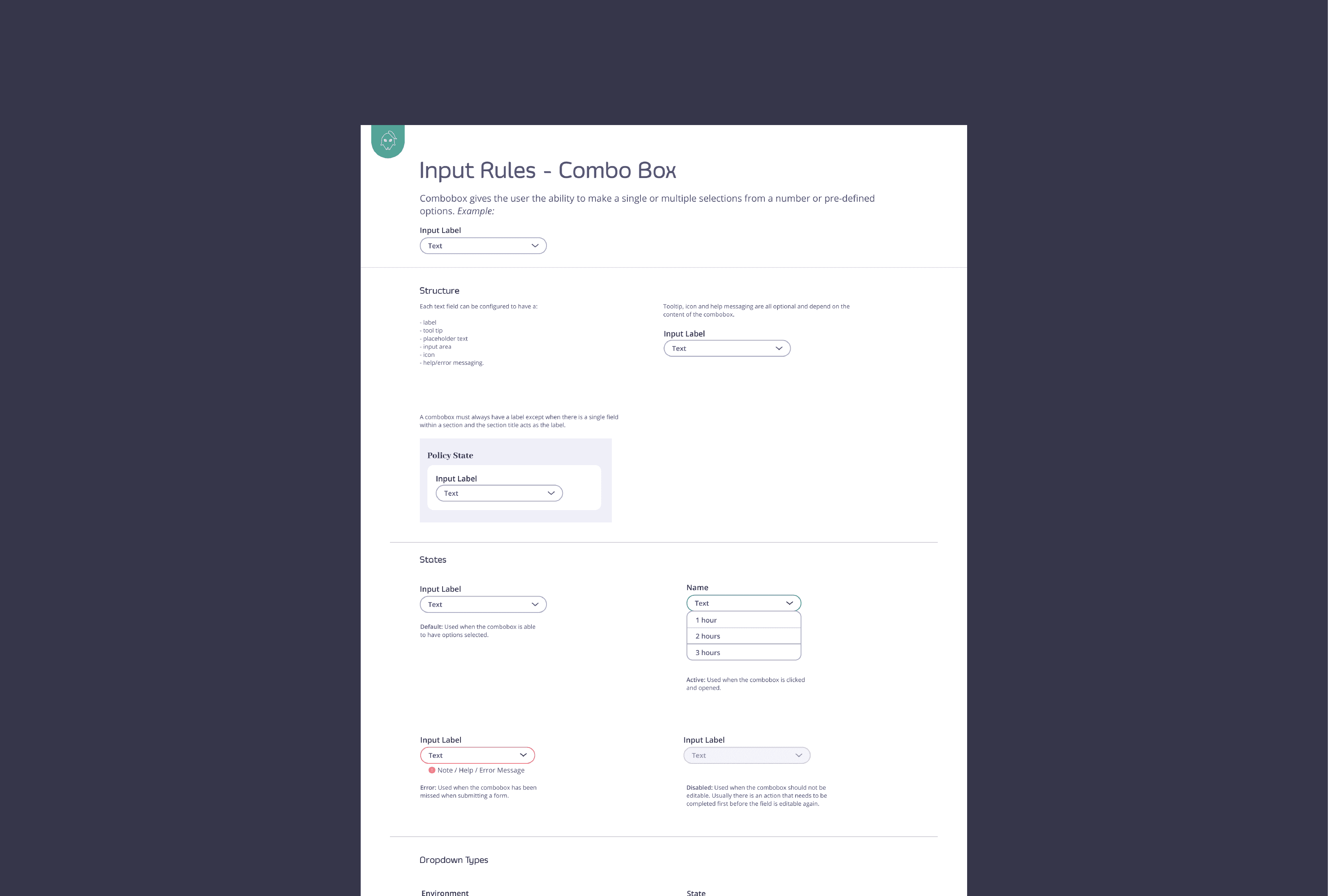
Another thing I noticed was that we needed to be more consistent with how components behaved. Things like hover, active, disabled and error states could easily end up looking slightly different depending on who was working on a screen.
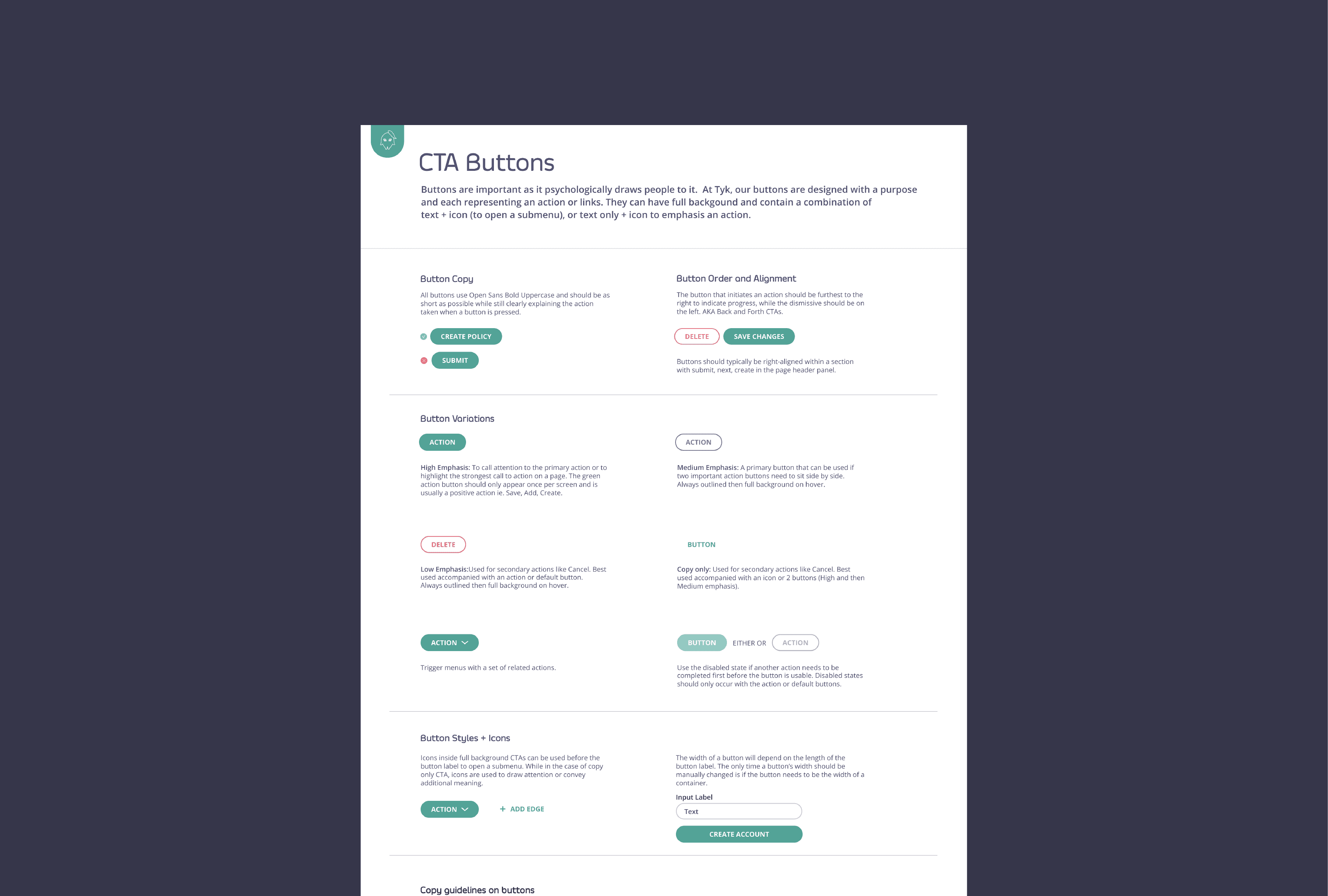
So I started documenting these states and defining some basic rules for how they should work.
It was not about creating a huge design system overnight. It was more about giving the team something to refer to when we were designing new things.
Building the UI library
I brought the updated colours, components and states into the UI library so that the team could work from the same place. This also made it easier to see what had already been designed instead of creating a new version of something every time.
As the product continued to grow, having these references became useful for both designers and developers.
It also meant that when something needed to change, we had a better idea of where to make that change.
Working with accessibility
Accessibility became something I paid much more attention to through this project. Before this, it was easy to think of accessibility as something to check at the end.
Working through the colour palette made me realise that it is much easier when you think about it while designing.
Things like colour contrast might seem like a small detail, but they affect whether someone can actually read and understand what is on the screen.
It also made me more aware of how often designers rely on colour to communicate things.
The result
The refreshed library gave the product team a clearer set of colours, components and UI states to work with.
It also gave us a more consistent approach to accessibility across the product.
For me, the biggest value was having fewer questions around things that should have already been decided.
Instead of asking, "Which red should we use here?" or "How should this button look when it is disabled?", there was somewhere to check.
What I took away
This project changed the way I think about design systems.
I used to think of a UI library mainly as a collection of components. Now I see it more as a way for a team to agree on how a product should behave.
The library does not need to cover every possible situation. It just needs to give people a good starting point and enough guidance to make consistent decisions.